Open Today Sales: 9 AM-7 PM



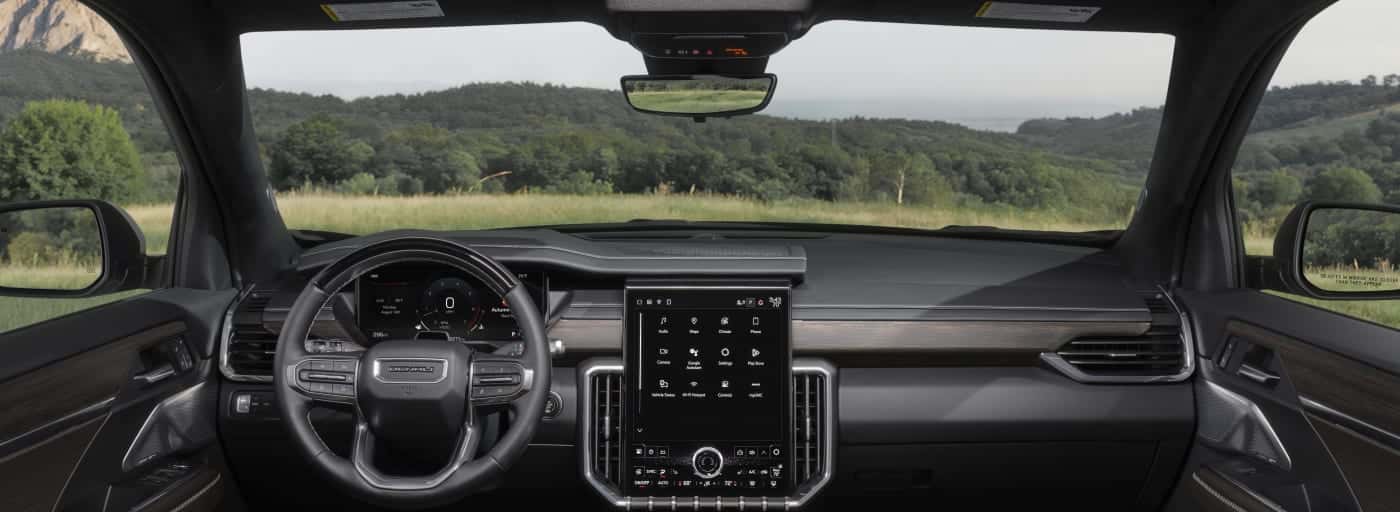
Many perks come with securing the keys to a new GMC vehicle in Dallas! For starters, you’ll gain access to a wide range of advanced in-vehicle technology systems, including GMC IntelliLink. Through IntelliLink, you can sync your smartphone with your touchscreen infotainment display via Bluetooth® wireless connectivity, allowing for hands-free phone calls and messaging, audio streaming, and more.
What should you do if your GMC IntelliLink apps ever malfunction? Freeman Buick GMC provides step-by-step instructions showing you how to reset GMC IntelliLink in the guide below! If you need GMC IntelliLink support along the way, don’t hesitate to call Freeman Buick GMC in Grapevine at (877) 291-8445!
IntelliLink is GMC’s premier infotainment system, first introduced to its truck and SUV lineup on the 2012 GMC Terrain. Almost a decade later, every new GMC now comes standard with an infotainment system and a touchscreen display. Using IntelliLink and the touchscreen display, you can access all of your favorite smartphone apps, streaming services, contacts, and more while on the go in Fort Worth.
Before you move forward with resetting your entertainment system, we recommend checking for software updates. If you missed a GMC IntelliLink update or a GMC IntelliLink Navigation upgrade, it could be the cause of any issues you are experiencing with the GMC IntelliLink apps.
If a GMC IntelliLink update is available, it will be downloaded. Once it’s downloaded, you’ll be prompted with on-screen steps to install it.
If you’re experiencing issues with your entertainment system and there are no software updates available, you can get GMC IntelliLink support by calling GMC’s assistance line at 1-800-462-8782. However, resetting the GMC IntelliLink system on your own is pretty simple! Here are the steps to follow:
Note: Before restoring GMC IntelliLink to factory settings, be aware that your personal settings will be erased, and you will start with a fresh, unprogrammed entertainment system. If there are GMC IntelliLink apps you’ve downloaded, they may be removed from your infotainment screen.
Are you still having trouble with the steps to reset GMC IntelliLink? The GMC IntelliLink support experts will be there to guide you through the process. You can also visit the service department at Freeman Buick GMC. Our factory-trained technicians will answer any questions you have about GMC IntelliLink updates or how to reset GMC IntelliLink. For additional information on IntelliLink, you can refer to your owner’s manual. And while you’re here, check out our other GMC information guides for helpful reads on a variety of topics!
Disclaimer: These recommendations may become outdated over time or differ from recommendations for older vehicles. To ensure accuracy, always consult your owner’s manual or a certified OEM mechanic.
How to Shop Used GMC and Buick Vehicles Under $20,000 in Grapevine Shopping for used cars under $20,000 in Grapevine, TX means weighing age, mileage, features, condition, and future ownership expenses. We recommend starting with a complete budget, then comparing each vehicle’s history, maintenance background, and how it fits your daily routine. A lower advertised…
2026 GMC Sierra EV vs. 2025 Ford F-150 Lightning: Which Fits How You Use a Truck? If you’re comparing a 2026 GMC Sierra EV with a used 2025 Ford F-150 Lightning, start with how you charge, tow, and carry gear. Ford ended production of this battery-electric Lightning generation, so check the exact used truck’s battery,…
GMC Sierra bed and tailgate equipment can help you load items, secure cargo, protect the bed, and reach tools or gear more easily. For 2026 models, availability must be confirmed on the specific Sierra 1500, Sierra HD, or Sierra EV by trim and installed equipment, rather than assumed from another Sierra model. From work supplies…
